


Automend Pro OBD 2 Car Scanner
3.350.00 Reviews
App Specs
- Version
- 1.3.39
- Updated On
- License
- Free
- Downloads
- 100,000+
- Developer
- WowSuite Software
- Categories
- Auto & Vehicles
- Platform
- Android
Screenshots
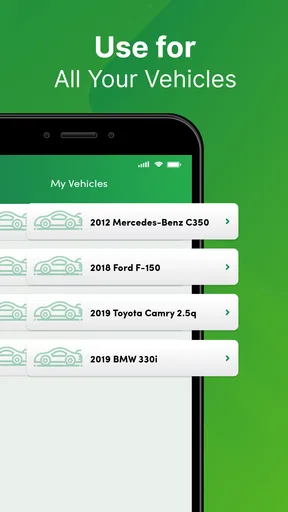
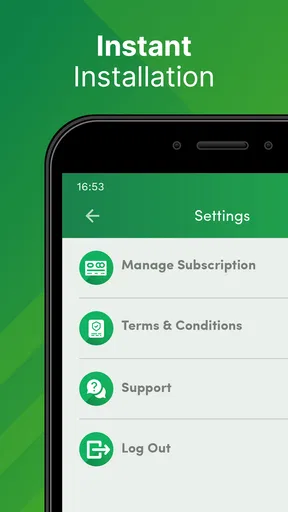
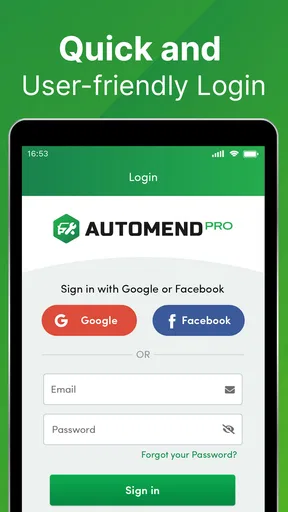
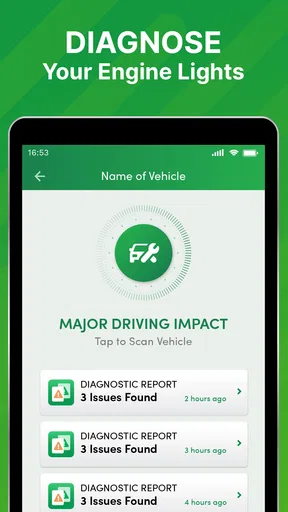
 Analysis by AppCompare
I’ve found that the most frustrating part of using a phone-based car scanner often comes before any code appears: getting the car, adapter, and phone to communicate. Automend Pro OBD 2 Car Scanner is aimed at making that first diagnostic step less intimidating, but it helps to treat it as a source of clues rather than a mechanic in your pocket. It can read trouble codes and show live vehicle data; deciding what those readings mean still takes care and, sometimes, professional help.
Start with the connection, not the warning light
Before opening the app, I’d check that the vehicle has a compatible OBD-II port and that the scanner is firmly connected. The port is commonly beneath the dashboard, though its exact position varies. If you cannot find it, consult the vehicle’s manual rather than tugging at trim or reaching blindly around wiring. The app itself cannot make an incompatible vehicle or a loose adapter communicate.
Bluetooth pairing can be another sticking point. I’d keep the phone close to the scanner, make sure Bluetooth is enabled, and follow the app’s connection prompts. If the phone has paired with the device before but the app cannot see it, I’d close and reopen the app, then check the phone’s Bluetooth settings before trying again. Avoid repeatedly changing unrelated phone settings: a simple connection check is a better first step.
There is also a practical distinction between the app and the hardware. Automend Pro is the phone software, while an OBD-II scanner is needed to read the car. If you are choosing a scanner separately, check that it is suitable for the app and your vehicle before buying; don’t assume that every adapter will work simply because it uses Bluetooth. The app is free to download, but in-app purchases are listed at $9.99 per item, so I would review any purchase screen carefully before confirming.
Use the readings as a starting point
Once a connection is established, a useful first routine is to note the code and the circumstances in which the warning appeared. Was the engine cold, had the car just been refueled, or did the light come on during a particular trip? Those details can help you explain the problem later and keep you from treating one code as a complete diagnosis. A code points toward a system or condition; it does not automatically identify a failed part.
Live data can add context, but it is most useful when you have a specific question. For example, if you are trying to understand an engine-related concern, observe the readings under consistent conditions rather than comparing a cold start with a fully warmed engine. I would avoid changing how I drive just to chase a number on the screen. The app can make information easier to see, but a reading outside your expectations is a reason to investigate, not proof that a repair is needed.
If the app appears frozen or slow, the published version is 1.3.39, and a restart is a sensible first recovery step. I’d close and reopen the app, check that the adapter remains connected, and try again while parked. If the phone still cannot connect, disconnecting and reseating the scanner may help. Keep troubleshooting simple and safe: don’t handle the phone while driving, and don’t reach under the dashboard with the vehicle moving.
Worth Reading Before You Choose

Flipboard Shows What News Apps Must Do Beyond the Feed

Switching to Android Auto Means Rethinking Your Driving Routine

Google Calendar Makes a Crowded Week Easier to Manage

Ludo King Makes the Most of the Minutes Between Plans

Baby Panda World Brings Quick Play to Modern Phones, but Its Game Library Feels Busy

ESPN’s Live Game View Makes Following Close Games Easier
Know when the car, adapter, or app may be responsible
A failed scan does not necessarily mean the app is broken. The adapter may not be seated correctly, Bluetooth may have dropped, or the car may not support the connection you are attempting. If the same issue continues after a careful reconnection, checking the vehicle manual and the scanner’s compatibility information is more useful than repeating the scan over and over.
Automend Pro is also not a substitute for urgent attention. If the car behaves dangerously, loses power, overheats, or shows a serious warning, stop somewhere safe and seek appropriate help instead of relying on a phone reading to decide it is fine. Even when a warning light is steady and the vehicle seems normal, use the code as preparation for a conversation with a qualified mechanic, not as permission to ignore it.
The app comes from WowSuite Software and sits in the auto and vehicle tools category. It is free, rated for Everyone, and has an average rating of 3.2 from around 339 ratings, with over 50,000 installs. It was released on October 25, 2019, and requires Android 5.0 or later. Those details place it as an established, accessible option, though the rating suggests that experiences are mixed rather than universally smooth.
Getting Started with Automend Pro
So, you’ve unboxed your shiny new Automend Pro and you’re ready to go. The setup is pretty straightforward. You just plug it into your car’s OBD 2 port — which, by the way, is usually under the dashboard. Don’t worry, it comes with a guide to help you find it if you’re not car-savvy.
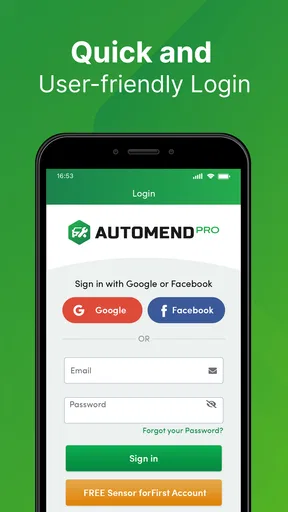
Once it's plugged in, you’ll need to download the app on your phone. Both iOS and Android users are covered, which is a relief for everyone involved. The app connects to the scanner using Bluetooth, and voila, you’re in business. The interface is user-friendly, making it easy even for tech novices to navigate.
Features That Stand Out
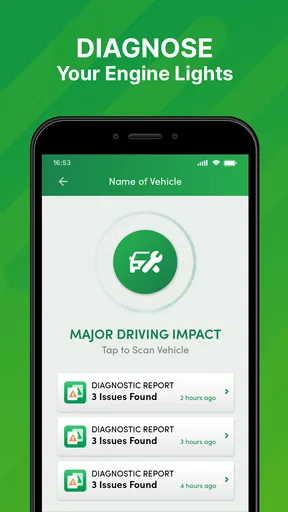
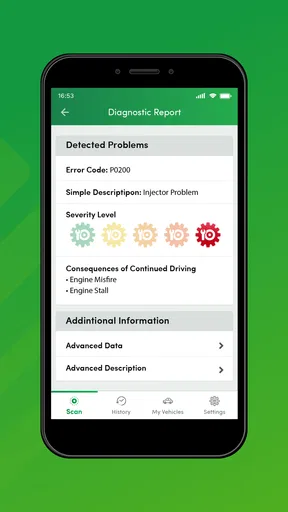
Now, let's talk about what this baby can do. First off, the Automend Pro reads diagnostic trouble codes. What does this mean for you? Basically, it tells you what’s up when that pesky check engine light comes on. No more guessing games or unnecessary trips to the mechanic.
But wait, there’s more! The scanner also provides real-time data on your car’s performance. From engine RPMs to fuel efficiency, it’s like having a mini diagnostics lab right on your phone. This can really help you understand your car’s health and tweak your driving habits for better performance.
Why You'll Love It
I have to admit, I was a bit skeptical at first. But after using the Automend Pro, it quickly became clear how valuable it is. The peace of mind it offers is huge. Knowing what’s happening under the hood without needing a degree in mechanics is a game-changer.
Not to mention, the cost savings. Spotting issues early can save you a ton on repairs. Plus, you’ll walk into the mechanic’s with confidence, armed with the knowledge of what’s wrong. No more being blindsided by unexpected repair bills.
A Few Things to Consider
While the Automend Pro is pretty fantastic, there are a couple of things to keep in mind. For one, it’s best suited for cars made after 1996. If you’re driving a vintage beauty, you might need to look at other options. Also, while it provides great insights, it won’t fix the issues for you. You’ll still need to take action based on its reports.
Another thing is the app. While intuitive, there were a couple of times I experienced lag. It’s nothing major, but something to be aware of. A quick restart usually does the trick, though.
The Final Verdict
All in all, the Automend Pro OBD 2 Car Scanner is a nifty tool that makes car diagnostics accessible to everyone. Its ease of use, coupled with the invaluable insights it provides, makes it a worthy investment for any car owner.
If you’re someone who loves to be in control and wants to avoid those nasty surprises at the mechanic, this scanner is definitely worth a look. Plus, it’s a cool gadget to show off to your friends. Who doesn’t love a little tech that makes life easier?
So, if you’re ready to take the mystery out of your car’s check engine light, you might want to give the Automend Pro a try. It just might save you a headache or two!
Make a scan useful on an ordinary day
A realistic use is noticing the check-engine light on during a routine trip, then waiting until you are parked at home to connect the scanner. I’d record the code before doing anything else, along with whether the vehicle felt normal. If it runs smoothly, that information can help make a calm, informed appointment rather than an anxious guess; if the car feels unsafe, I would stop driving and seek help instead of continuing to test it.
One small but valuable habit is to keep the first scan as a baseline. If a warning returns after a repair or a period of normal driving, the earlier code and your notes give you something concrete to compare. I would not clear a code simply to make the dashboard look tidy: doing so can remove useful context before a mechanic has seen it, and a cleared warning is not evidence that the underlying issue has gone away.
Who benefits most, and who should choose another route
I see the strongest fit for an owner who wants to understand a check-engine warning before calling a garage, or who likes to keep basic notes about a car’s condition. It is also useful for someone helping a family member assess a vehicle, provided they treat the scan as preliminary information and do not promise that it identifies the exact repair. The benefit is less about becoming your own technician and more about asking better questions.
It is a weaker choice if you expect a scan to diagnose every system, explain every result in plain language, or repair a fault. An ordinary code reader may be enough for someone who only wants to retrieve a basic code, while a professional diagnostic tool and trained technician are better when a fault is intermittent, complex, or safety-related. The phone format is convenient, but convenience does not make the readings more authoritative than the vehicle and the person interpreting them.
Compared with going straight to a mechanic, the app can help you arrive with a code and a clearer description of what happened. Compared with a basic handheld reader, it offers a phone-based way to view information, including live data, but depends on a compatible scanner and a working connection. That trade-off matters: if you do not want to manage Bluetooth or check adapter compatibility, a simple standalone reader may be less hassle.
Get more from live data without overreading it
Live readings are easiest to use when you change one condition at a time. If you are observing the engine at idle, keep the car stationary and note whether it has warmed up; do not compare those figures casually with a different trip or engine state. This is not about chasing a perfect number. It is a way to give a mechanic a clearer account of what the car was doing when you noticed a concern.
For a recurring symptom, I would pair a scan with a short log: date, driving situation, warning-light behavior, and anything you could feel or hear. The log is useful even if the app cannot explain the cause, because intermittent problems may not show up every time you connect. It also prevents a common trap: treating the most recent screen as the whole history of the vehicle.
There is a boundary here that deserves emphasis. A trouble code can point toward a circuit or system without proving which component has failed. Replacing a part based only on a code can waste money, especially when wiring, connections, or another related condition could be involved. I’d use Automend Pro to narrow the conversation, then let proper testing determine the repair.
Practical verdict
For a driver who wants a first look at an engine warning and is comfortable pairing a phone with a scanner, Automend Pro offers a straightforward way to read codes and view vehicle information. Its free download and broad age rating make it approachable, while the Android requirement of version 5.0 or later sets a clear baseline for that platform. Its mixed average rating is a reason to keep expectations measured, not a reason to dismiss the idea of using a scanner altogether.
I would recommend it as a companion for basic awareness, not as a replacement for vehicle-specific expertise. Check compatibility before relying on it, scan while parked, save useful observations, and seek professional help when symptoms are serious or the result is unclear. If you want a quick clue before arranging service, it can make that first step feel less mysterious; if you need a definitive diagnosis, a qualified mechanic remains the better choice.
Pros
- Easy to install and use with any car.
- Real-time diagnostics for quick insights.
- Saves money on mechanic visits.
- User-friendly interface for all drivers.
- Compatible with most car models.
Cons
- Requires Bluetooth connection to function.
- Limited features in free version.
- May not support older car models.
- Updates can occasionally be delayed.
- App interface lacks customization options.
FAQs for Automend Pro OBD 2 Car Scanner
What is Automend Pro OBD 2 Car Scanner?
Automend Pro is a diagnostic tool designed for vehicle owners to easily access their car's performance data. By plugging into the OBD 2 port, it provides real-time insights into engine diagnostics, fuel efficiency, and potential issues. This tool helps users understand and resolve car problems without needing a mechanic.
How does Automend Pro work with my vehicle?
Automend Pro connects to your car's OBD 2 port, typically located beneath the dashboard. Once connected, it communicates with your vehicle's computer to retrieve diagnostic data. The information is then transmitted to your smartphone via Bluetooth, displaying insights through the Automend Pro app for easy interpretation.
Is the Automend Pro compatible with all vehicles?
Automend Pro is compatible with most vehicles manufactured after 1996, as these models typically include an OBD 2 port. However, it's important to check your vehicle's specifications and the product's compatibility list to ensure proper functionality before purchasing and using the scanner.
What features does the Automend Pro app offer?
The Automend Pro app provides a range of features, including real-time engine diagnostics, fault code reading, and maintenance alerts. Users can monitor fuel efficiency, battery health, and receive notifications about potential issues. The app also offers tips for improving vehicle performance and saving on fuel costs.
Do I need technical knowledge to use Automend Pro?
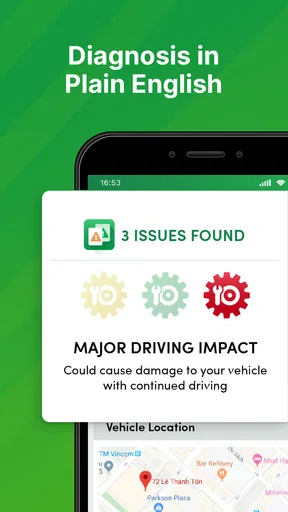
No technical expertise is required to use Automend Pro. The device and app are designed for user-friendliness, providing clear, easy-to-understand information. The app translates complex diagnostic codes into straightforward language, making it accessible for any car owner to monitor and maintain their vehicle effectively.


